MAX7219-driven LED Dot Matrix Display
The MAX7219 is “serial input/output common-cathode display drivers that interface microprocessors (µPs) to 7-segment numeric LED displays of up to 8 digits, bar-graph displays, or 64 individual LEDs.” You can readily find MAX7219-driven 8x8 LED matrices for a couple of dollars online. Unlike a 7-segment display, the mapping of bits to LEDs for this application is not defined in the datasheet, nor is there an obvious orientation. This library offers some customizations to accommodate your particular display module.
Another “gotcha” (and this really is beyond the scope of the library) is that the MAX7219 is strictly a 5V device (with reasonable allowances), so if your microcontroller board outputs 3.3V for logic high then you will need a “level converter” in your circuit.
Caution
The CowPi_stdio library disables the LED Matrix display by default on the Arduino Uno and the Arduino Nano.
To enable Morse Code output, use the compiler argument -DMATRIX_FONT.
See the Section discussion Enabling/Disabling Memory-Expensive Display Modules for more details.
Discussion
Configuring the Display
The library’s options to configure the display are based on two assumptions:
You have placed the display module such that one of the edges is “down”; that is, you have not positioned it diagonally
The mapping of MAX7219 addresses to rows or columns is strictly sequential, and the mapping of a data byte’s bits to LEDs is strictly sequential within each row or column
With those two assumptions, some combination of orientations (EAST, NORTH, WEST, or SOUTH)
and of character flips (HEADS or TAILS) will produce correct-looking text on your display.
In C++, use
cowpi_configure_led_matrix_display(scroll_rate, orientation, column_order)
to generate the appropriate cowpi_display_module_t variable. In C, use
(cowpi_display_module_t) {
        .display_module = LED_MATRIX,
        .words_per_minute = scroll_rate,
        .display_orientation = orientation,
        .character_flip = column_order
}
The scroll rate is expressed as an approximate number of words per minute that should pass along the display.
If you omit the display orientation and character flip, the default values of EAST and HEADS will be assumed;
however, there is only one chance in eight that this is correct.
Font
The dot matrix font this library uses is nominally a 5x7 font, with the eighth row available for descenders. Most characters occupy five columns, though some occupy fewer. For this particular display module, the characters are placed in the scroll with a proportional spacing: there is always exactly one blank column between characters (except when your string has explicit spacing.)
ASCII Control Characters
The unidirectional nature of the scrolling text forces us to ignore left-motion control characters, and vertical motion control characters.
|
|
|
|
|
|
|
0x1B (gcc |
0x7F |
|
|---|---|---|---|---|---|---|---|---|---|
ASCII |
bell (alarm) |
backspace |
horizontal tab |
line feed (newline) |
vertical tab |
form feed (newpage) |
carriage return |
escape |
delete |
LED matrix display
(scrolling)
|
ignored |
ignored |
inserts ten columns |
inserts 2×width columns |
|
|
|
next byte specifies a column pattern |
ignored |
Literal Bytes
The file stream for an LED matrix display supports sending literal bytes to the scroll to be displayed.
When the library finds \x1B (ASCII ESC, gcc \e), then the next byte (and only the next byte) will be sent as a column encoding.
The most-significant bit is the LED in the bottom row, and the least-significant bit is the LED in the top row.
An intercharacter space is not automatically added after the literal byte, as the typical usage would be a series of literal bytes (each preceded by \x1B or \e).
After you have finished with your custom character, you can add an intercharacter space by sending a literal 0x00 byte to the display through the use of a conversion specifier ("\x1B%c", 0x00).
Note
If you include \x00 in the format string, then fprintf will interpret it as a terminating NUL.
Communication Protocol
The MAX7219 natively supports SPI. (Technically, there is a small deviation, but not one that you’ll notice.) At a minimum, you need to specify the pin used to indicate which peripheral should latch the data in. In C++, use
cowpi_configure_spi(the_select_pin)
to generate the appropriate cowpi_display_module_protocol_t variable. In C, use
(cowpi_display_module_protocol_t) {.protocol = COWPI_SPI, .select_pin = the_select_pin}
By default, the data pin and the clock pin are those used by the SPI hardware, even if you use the library’s bit-banged SPI implementation. If you wish to use other pins, then specify them with
cowpi_configure_spi(the_select_pin, the_data_pin, the_clock_pin)
in C++, or
(cowpi_display_module_protocol_t) {
        .protocol = COWPI_SPI,
        .data_pin = the_data_pin,
        .clock_pin = the_clock_pin,
        .select_pin = the_select_pin}
in C.
Custom Transmission Function
Todo
Describe custom transmission function for MAX7219
Example
max7219_dotmatrix
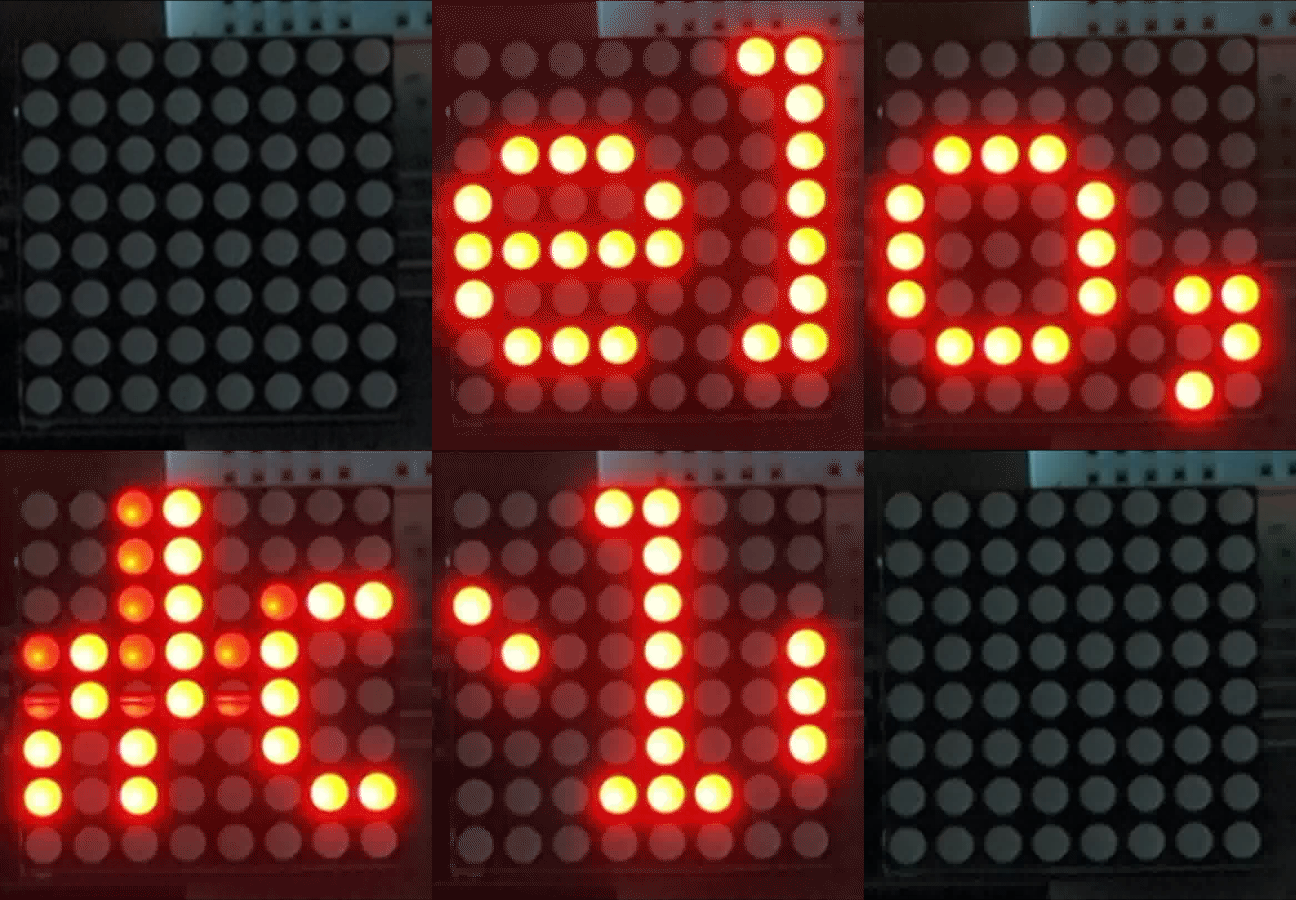
The max7219_dotmatrix example demonstrates sending both text and literal bytes to the display module.
FILE *display;

void setup(void) {
    // The C++ approach
    display = cowpi_add_display_module(
            cowpi_configure_led_matrix_display(25, SOUTH, HEADS),
            cowpi_configure_spi(SS, MOSI, SCK)
    );

    // The C approach
    /*
    display = cowpi_add_display_module(
            (cowpi_display_module_t) {
                    .display_module = LED_MATRIX,
                    .words_per_minute = 25,
                    .display_orientation = SOUTH,
                    .character_flip = HEADS
            },
            (cowpi_display_module_protocol_t) {
                    .protocol = COWPI_SPI,
                    .data_pin = MOSI,
                    .clock_pin = SCK,
                    .select_pin = SS
            }
    );
    */
}

void loop(void) {
    // On AVR architectures, you can use `fprintf_P` with `PSTR` to put the
    // format string in flash memory, if you want to
#ifdef __AVR__
    fprintf_P(display, PSTR("Hello, World!\t\e\x08\e\x3C\e\xEB\e\xC2\e\xEB\e\x3C\e\x08\t"));
#else
    fprintf(no_scroll_display, "Hello, World!\t\e\x08\e\x3C\e\xEB\e\xC2\e\xEB\e\x3C\e\x08\t");
#endif //__AVR__
    // Those literal bytes kind of looked like a cow face, right?
    // (awkward silence)
    // *Right*?
    fprintf(display, "Hello, World!\n");
}